
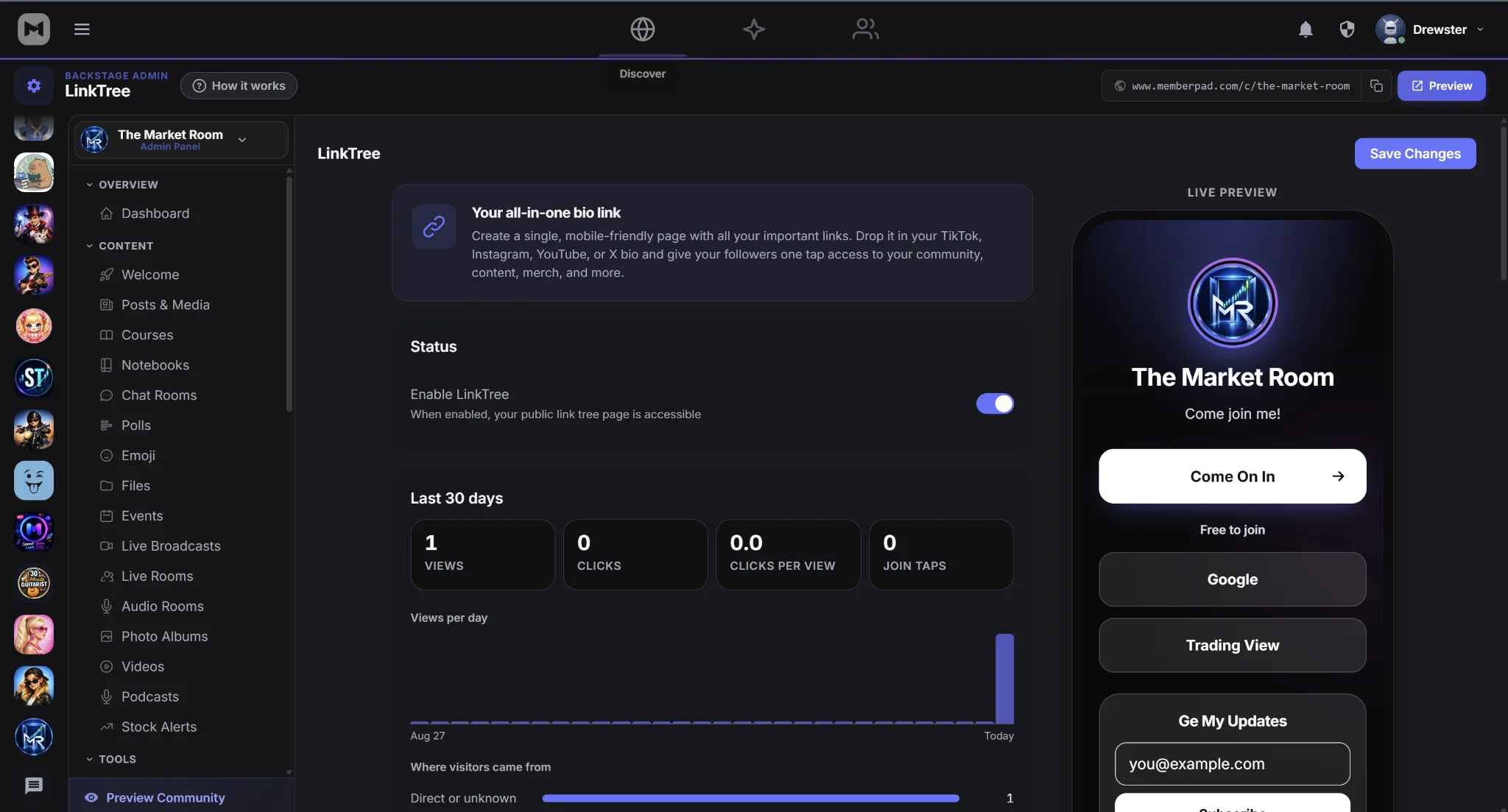

Here is a brief update on a number of enhancements we have made to the Linked In Bio feature, check it out!
Your MemberPad link page at memberpad.com/@yourname now does more than list links. It shows visitors what's happening in your community, tells you which links get clicked, and collects emails.
Make It Yours
7 themes: Solid, Aurora, Banner, Sunset, Ocean, Noir and Paper
5 button styles and 4 fonts
Your social profiles, with icons that appear automatically for popular platforms
Readable on every theme: text stays clear with any theme and color you pick
Live preview: see your changes on a phone preview in the editor before you save
Show That Your Community Is Active
Most link pages are just a list of links. Yours shows what's going on right now:
Live now when you're streaming
Your next event
Your latest free post
Your member count, once you reach 25 members
A pinned Join button in your accent color shows visitors what it costs to join: "Free to join" or "Plans from $X/mo." Only public content appears on the page. Nothing members-only is shown.
Smarter Links
Featured links are larger, highlighted and can have a banner image
Thumbnails can go on any link
YouTube and Spotify players play right on the page and load only when a visitor taps play
Scheduled links can appear on one date and hide after another, which is great for launches and limited offers
Hidden links stay saved without appearing on the page
Drag and drop to reorder your links
See What's Working
The new Insights panel shows your last 30 days:
Views, clicks, click rate and Join taps
A daily views chart
Your top traffic sources, such as Instagram, TikTok and QR code scans
Click counts next to every link
We count visits without storing any personal information about your visitors.
Grow Your List
Turn on the email signup form and choose your own headline and button text. The list belongs to you, and MemberPad never emails these contacts. Export it as a CSV that goes straight into member import, so you can invite signups to join your community.
Share It Anywhere
Short link:
memberpad.com/@yournameQR code: download it for print, events or merch. Scans are tracked as their own traffic source.
Share card: your page gets its own preview image when the link is posted on social media
Get Started
Open your community's admin settings, go to Link Page, and choose a theme. Your page updates as soon as you save.